Can a Cloud Security System Simplify Modern Security Management?
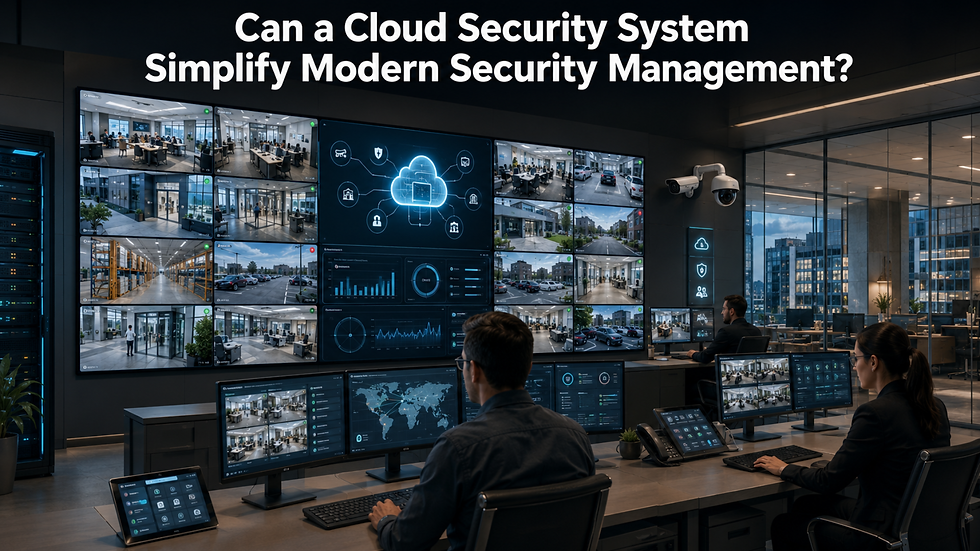
Can businesses and homeowners improve security without relying on bulky on-site equipment or complicated monitoring processes? The answer is yes. A security system provides centralized management, remote access, secure storage, and real-time visibility, making it easier to protect people, property, and valuable assets from virtually anywhere.
Unlike traditional surveillance systems that depend heavily on local recorders, cloud-based solutions allow users to monitor live video, review recordings, receive alerts, and manage multiple locations through internet-connected devices. As organizations and homeowners seek more flexible security solutions, cloud technology continues to reshape the way surveillance systems are deployed and managed.
What Is a Cloud Security System?
A cloud security system is a surveillance solution that stores video recordings, system settings, and monitoring data on secure cloud servers rather than relying entirely on local hardware.
A typical cloud-based security solution may include:
Internet-connected surveillance cameras
Cloud video storage
Mobile and desktop applications
Remote monitoring capabilities
Motion and event notifications
User access management
Secure encrypted communication
Instead of visiting the recording location, users can securely access their systems from almost anywhere with an internet connection.
Why Are Cloud Security Systems Becoming More Popular?

Organizations increasingly value flexibility, convenience, and scalability. Cloud-based systems address many of the limitations associated with traditional surveillance infrastructure.
Easier Remote Access
Authorized users can review live feeds, receive notifications, and manage security settings from smartphones, tablets, or computers.
Simplified System Management
Software updates, user permissions, and camera configurations can often be managed centrally without extensive on-site maintenance.
Improved Scalability
Businesses can add additional cameras or locations without replacing an entire surveillance infrastructure.
Better Disaster Protection
Because recordings are stored remotely, footage remains protected even if local recording equipment becomes damaged or stolen.
Key Benefits of Cloud-Based Security
Modern organizations choose cloud systems because they deliver both security and operational efficiency.
Centralized Monitoring
Multiple offices, facilities, or properties can be monitored from a single management interface.
Faster Incident Response
Real-time notifications allow security personnel to react more quickly to unusual activity.
Flexible User Permissions
Different employees or administrators can receive customized access based on their responsibilities.
Reduced Hardware Maintenance
Since much of the infrastructure is cloud-managed, there is often less equipment to maintain on-site.
Secure Remote Access
Managers can stay informed even while traveling or working remotely.
Many organizations also integrate cameras security solutions with cloud platforms to provide complete visibility across entrances, offices, warehouses, retail stores, and other critical locations.
How Does a Cloud Security System Work?

A cloud-based surveillance platform follows a straightforward process.
1. Cameras Capture Video
Security cameras continuously record or activate based on motion detection or scheduled events.
2. Video Is Encrypted
The recorded footage is securely encrypted before transmission to remote cloud servers.
3. Secure Storage
Video is stored safely within the cloud platform according to the selected retention policy.
4. Remote Access
Users log into secure applications to review recordings, receive alerts, and monitor live activity.
This streamlined process reduces dependence on physical storage devices while improving accessibility.
What Features Should You Look For?
Not every cloud platform offers the same capabilities. Before selecting a solution, evaluate the following features carefully.
Strong Encryption
Ensure data remains protected during both transmission and storage.
Mobile Applications
Reliable apps allow users to access video quickly and receive important notifications.
Video Quality
Higher-resolution recording improves image clarity during investigations.
User Management
Role-based permissions improve both security and operational control.
Storage Flexibility
Look for customizable retention periods that match operational and compliance requirements.
Automatic Software Updates
Cloud-managed platforms frequently receive security improvements without requiring manual installation.
Why Cloud Storage Matters
One of the greatest strengths of cloud surveillance is secure remote storage. Instead of relying entirely on local recorders, organizations can maintain protected backups through security camera cloud storage, making footage easier to retrieve during investigations, compliance reviews, or operational audits.
Cloud storage also simplifies video sharing, improves disaster recovery, and supports businesses operating across multiple locations where centralized access is essential.
Common Challenges to Consider

Although cloud-based surveillance offers numerous benefits, there are practical considerations before deployment.
Internet Reliability
Cloud platforms require stable internet connectivity for optimal performance.
Subscription Costs
Many providers charge recurring monthly or annual service fees.
Data Privacy
Organizations should verify where information is stored and how providers protect sensitive data.
Bandwidth Requirements
High-resolution video uploads may require additional network capacity.
Proper planning helps organizations maximize performance while avoiding unexpected operational challenges.
How to Choose the Right Cloud Security Solution
Before investing in a platform, ask these important questions:
How many cameras will the system support?
What storage retention period is required?
Is remote monitoring a priority?
How secure is the provider's encryption?
Does the platform support future expansion?
What level of technical support is available?
Evaluating these factors helps ensure long-term value and reliable system performance.
You can also watch: AI Unattended Baggage Detection: Enhancing Public Safety | VideoraIQ
Short Summary
A cloud security system provides flexible, centralized surveillance by combining remote monitoring, secure cloud storage, scalable deployment, and simplified management. Whether protecting a home, office, retail store, or enterprise facility, cloud-based security offers greater accessibility, stronger backup protection, and easier day-to-day monitoring while reducing dependence on traditional on-site recording equipment.
FAQ
What is a cloud security system?
A cloud security system stores surveillance footage and management data on secure cloud servers while allowing remote monitoring through connected devices.
Is cloud surveillance secure?
Most reputable providers use encryption, authentication controls, and secure data centers to protect recordings and user access.
Can I monitor multiple locations?
Yes. Many cloud platforms allow centralized monitoring across multiple properties through one dashboard.
Does cloud storage replace local recording?
Not always. Many organizations use hybrid solutions that combine local recording with cloud backup for additional protection.
Is cloud surveillance suitable for small businesses?
Yes. Cloud systems are scalable and can support homes, small businesses, and large enterprises depending on operational requirements.


Comments